
MATRIX Digital Rainfall Effect: 10 Lines of BASIC Code and Z80 Assembler Comparison
Looking through some old projects, I was asked if I could recreate a MATRIX Digital Rainfall look alike in 10 Lines of BASIC code… This was in 2021 looking at the time stamps on my files, I was still recovering from major surgery.
I gave it some thought, and came up with something simple. BASIC wouldn’t be fast enough to move all characters on the screen like the original film, therefore the simplest solution would be to draw random letters on the screen and rotate the colour palette to give the illusion of falling letters.
Palette switching advantages are speed for BASIC with a rather crude matrix style affect as you can see from the code below.

I went one stage further, and rewrote the program in Z80 Assembler, though this time I opted to use as close to the original character set from the movie. I’ll cover this off further down.
Pssst… Want to download the DSK image for this project?
The files for the items discussed can be found via the link here…
What’s on the disk?
The files…

| Filename | What is it? |
|---|---|
| FONT.ASM | Assembly File to compile the font |
| FONT.BIN | Final Font You don’t need these. |
| MATRIX1.BAS | 10 Line BASIC Matrix Effect |
| MATRIX2.BAS | 10 Line BASIC Matrix Effect with variation to Line 40 |
| MATRIX3.BAS MATRIX3.BIN | Initial Assembly Language Version |
| MATRIX4.BAS MATRIX4.BIN | Assembly Language with Fade Effect and Minor Changes. |
| MATRIX5.BAS MATRIX5.BIN | Assembly Changes with new Font Incorporated |
| MATRIX6.BAS MATRIX6.BIN | Final version! |
The MATRIX In Ten Lines of BASIC
Let’s get started, the code is shown below, I’ll try and explain the principle…
- Line 10 – Mode and colour initialisation
- Set BASIC to move to the quit routine when the user hits the escape key (Line 90)
- Set MODE 0 – 16 Colour Mode
- Set Border and Paper 0 to Black
- Enable Graphics Text Mode
- Define the colour table for the matrix
- Line 20 – Initialise Variables, Tables and Offsets per character
- Set variables P = 1, W = 1
- P = current Pen
- W = current White Colour Text Position on Y
- We use this to only change the current white position of text on the column selected, giving the illusion the text is changing at the head of the rain effect.
- Dimension an array of 16 colours and Y Offset Table for 21 entries
- Reset the DATA to READ (In case you rerun the program)
- F! is a real number to define the offset position of text on the Y-Axis
- 400 Raster Lines divided by 15 Colours to cycle = 26.6666666
- Read all the colours into the colour table
- Call routine at Line 50 to set the colours
- Set variables P = 1, W = 1
- Line 30 – initialise the screen with random characters and set the screen colours.
- X = Loop for 20 iterations, Screen Width of chars in Mode 0
- offset = random number between 0 and 14
- OffsetTable is set for each initial starting offset
- Loop for 15 iterations
- Set the Graphics PEN to 16 – Current Loop Counter
- Ensures we use all colours we’ll cycle
- Call routine to print a random character in current selected colour
- Set the Graphics PEN to 16 – Current Loop Counter
- Line 40 – Main Loop
- Call routine to rotate colour table.
- Call routine to set new colours from table.
- X = random position between 0 and 19
- Y = Current position for
- Set the Graphics Pen selection to the Colour in W
- Set a new random character at position
- We’re trying to creating changes in the matrix…
- Loop back to 40 and run indefintely.
- Line 50 – Set the INKS To Current Table
- Loops 16 times to set the INKS via the current table cols()
- returns
- Line 60 – Rotate the Inks Table and set the Head to Where White is in the table.
- Wait for framefly back (The CRT Raster to move from bottom right of the screen to top left.
- You can get more information on this from AMSOFT 968 Publication, aka The Firmware Guide.
- If you remove the call, the program will run a smidge faster. Try it and see.
- Get the current colour for INK 1 from table
- If the colour = Bright White we’ll set W to 15
- Wait for framefly back (The CRT Raster to move from bottom right of the screen to top left.
- Line 70 and 80 – Rotate the Colour Table
- Increment P
- P MOD 15 + 1, ensures our pen is in range 1 -> 15
- Loop 14 Times
- Copy Colour from Colour table index + 1 to index
- Rotate the colours down by one
- Copy Colour from Colour table index + 1 to index
- 15th loop copy what was in A to position 15 (Looping everything round again).
- Return
- Line 90 – Handle the user quitting by setting the INK and Pen to something they can see
- When user hits Escape Key Set PEN to 1, INK 1 to Bright White
- Disable Graphics Text mode
- End the program, returning control to BASIC
- Line 100 – Write a random character for the correct position.
- Calculate the correct Y offset based on Offset Table stored in OT multiplied by the fixed constant (400/15)
- Move the Graphics cursor to the correct position
- Print a random ASCII Character at the Graphics Cursor Position
- Return
The BASIC Code
10 ON BREAK GOSUB 90:MODE 0:BORDER 0:INK 0,0:TAG:DATA 0,26,22,18,19,21,9,9,0,0,0,0,0,0,0,0

20 p=1:w=1:DIM cols(16):DIM ot%(21):RESTORE:f!=400/15:FOR i=0 TO 15:READ a:cols(i)=a:NEXT:GOSUB 50

30 FOR x%=0 TO 20:offset%=(RND(1)*14):ot%(x%)=offset%:FOR y%=1 TO 15:GRAPHICS PEN 16-y%:GOSUB 100:NEXT:NEXT

40 GOSUB 60:GOSUB 50:x%=(RND(1)*19):y%=16-w:GRAPHICS PEN w:GOSUB 100:GOTO 40

50 FOR i=0 TO 15:INK i,cols(i):NEXT:RETURN

60 CALL &BD19:a=cols(1):IF a=26 THEN w=15

70 p=p+1:p=(p MOD 15)+1:FOR i=1 TO 14:cols(i)=cols(i+1):IF cols(i)=26 THEN w=i

80 NEXT:cols(15)=a:RETURN

90 PEN 1:INK 1,26:TAGOFF:END

100 offset2=399-(((ot%(x%)+(y%-1)) MOD 15)*f!):MOVE x%*32,offset2:PRINT CHR$((RND(1)*65)+48);:RETURN
It works, and simple for a BASIC program… Though you may notice only one column changes for each colour cycle rotation.
Can you improve this? Well you could modify line 40 as follows :-
40 GOSUB 60:GOSUB 50:FOR i=1 TO 4:x%=(RND(1)*19):y%=16-w:GRAPHICS PEN w:GOSUB 100:NEXT:GOTO 40
As a result we add a loop to change four random column characters, it will slow the program down a smidge but give the illusion of more activity.
I’m sure smarter people than I can optimise this further for better effects. If you had more than ten lines of code to work with, you could add UDGs to simulate more of the original Matrix Character Set.
Can we make it better?
Yeah, let’s have a look at assembly language. I won’t bore you with each iteration of the program code as it was developed one Sunny Afternoon, but I’ll show the effects as the program progressed.
Initial Version
Mode 0 was boring so I changed it over to Mode 1 for the use of four colours and of course we have plenty of speed to play with, using Z80 code.
Mode 1 provides forty columns to play with, and four colours. Mode 2 would be ideal, but even with using interrupts to change the colour palette, we’d be limited to two colours…
Here’s the initial Mode 1version….

Displaying ASCII Characters and a predictable single speed rainfall effect…
Improvements…
We can make further improvements…
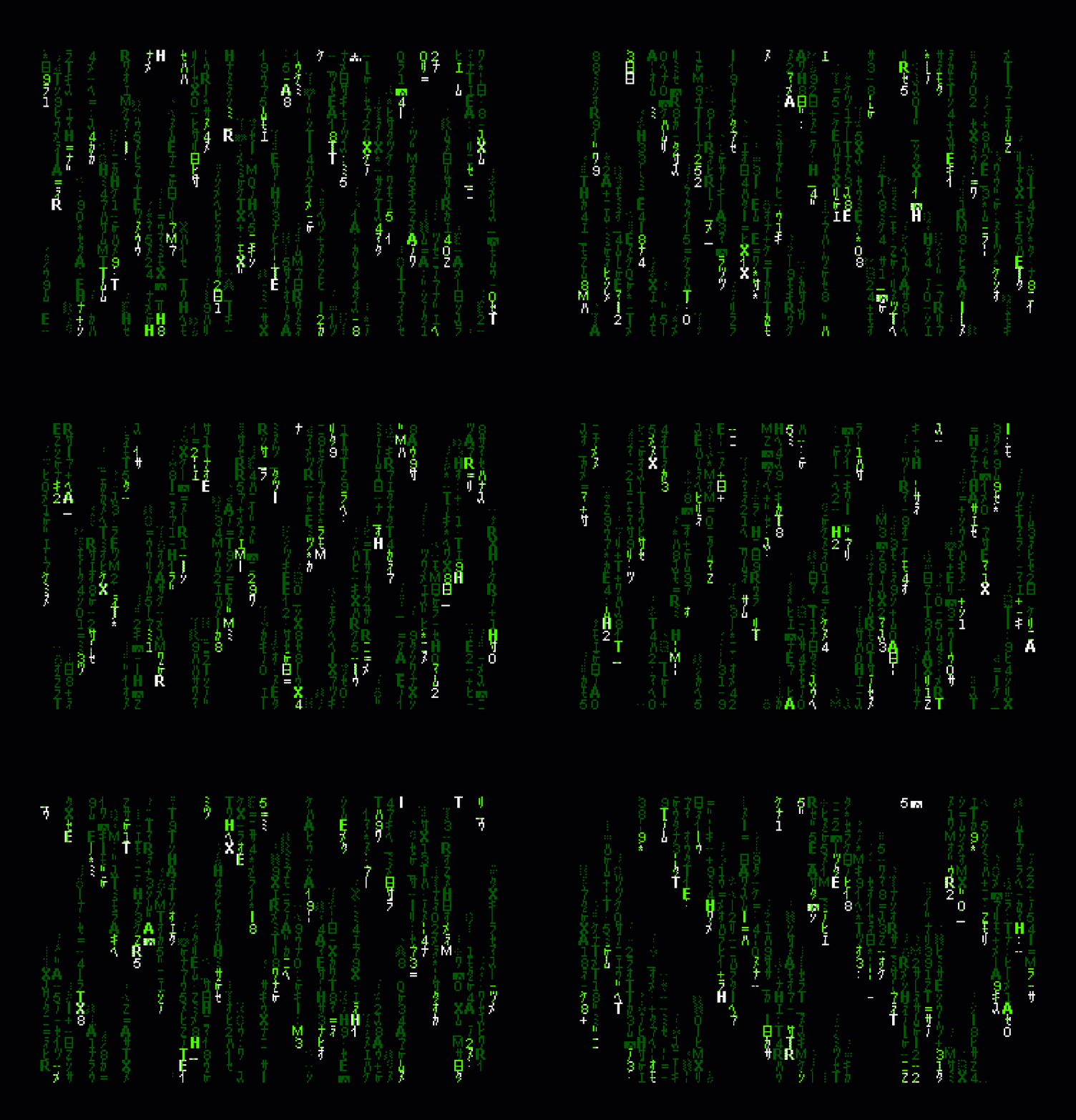
I added a fade to the trailing characters as they fell on the screen and also changed the speed at which the digital rain fell…

What you think?
I still wasn’t happy, so I messed around with the code and improved the effect, before settling on this final one below…
The Matrix – Final Version – Z80
Once the Basic Assembler Language version of this was up and running… I still wasn’t satisfied and looked more into the original films graphics and ?language used to display on the screen.
I found the character set was essentially Japanese with the characters mirrored (Flipped on the X Axis), and of course any Matrix fan knows the digital rain in the movie is basically Sushi Recipes from the Creator (Simon Whiteley) Wife’s books.

Using photoshop I entered the characters, and with some photoshop tricks, converted them to 8-bit representations for use in the Amstrad CPC.
My friend @DevilMarkus who creates and maintains the JavaCPC project has a number of tools built into JavaCPC that will import various graphic file formats and convert them to retro machine specific formats which can be loaded into the CPC direct. Amazing stuff really…
The Matrix Characters in 8-Bit Representation.

Once I had the artwork for conversion, I wrote a small program to convert the artwork into graphics table for use in the final program.
Convert the Japanese Font to a Pre-Formatted lookup table.
    org #a000
start
   ; ent $
    LD   hl,filename
    ld   de,#c000
    LD   b,filelen
    CALL #bc77
    ld HL,#c000
    CALL #bc83
    CALL #bc7a

create_charset:
    ld hl,#c000             ; Top Left Screen Address
    ld DE,chartable         ; Where to store the RAW Data
    ld b,#3f                ; 63 Characters (excluding Space)
create1:
    push bc                 ; Preserve Registers
    push hl
    ld bc,#08ff             ; It will make sense 😉
create2:
    ld a,(hl)
    ;xor #f0
    push bc
    ld c,A
    or a
    rra
    rra
    rra
    rra
    or C
    pop bc
    ld (hl),A
    LDI                     ; Fast form of LD A,(HL):LD (DE),a:INC DE:INC HL:DEC BC
    ld a,(hl)
    ;xor #f0
    push bc
    ld c,A
    or a
    rra
    rra
    rra
    rra
    or C
    pop bc
    ld (hl),A
    LDI
    dec hl
    dec hl                  ; RESTORE HL To Start of Char


    ld a,h                  ; add #800 to HL Screen Address (Only dealing with 8 lines)
    add 8                   ; So don't need to be concerned with additional calculations.
    ld h,a                  ; Next Screen Byte Down.
    djnz create2            ; Loop for 8 Bytes Down
    pop hl
    pop bc                  ; Restore Registers
    inc hl
    inc hl                  ; Point HL to next Screen Character (Mode 1)
    djnz create1            ; Loop until all chars lifted.
    ret

    ex de,hl
    ld bc,chartable
    or A
    sbc hl,bc
    push hl

    ld hl,fname2
    ld b,filelen2
    ld de,#1000
    call #bc8c
    ld hl,chartable
    pop de
    ld bc,0
    ld a,2
    call #bc98
    jp #bc8f

filename:   DEFM "0.SCR"
filelen:    equ $-filename
fname2:     defm "FONT.BIN"
filelen2:   equ $-fname2
chartable:  equ $
Once I had the font installed and converted on my Amstrad, it was time to incorporate this into the final code.
In addition, I added column flags to account for different speed of falling rain on each iteration. You could modify this to randomly reset after x operations…
Final Thoughts
It was interesting at the time researching the origins of the Digital Effect designed by Simon Whiteley and the subtle effects he created. He’d put quite a lot of thought into it … My Amstrad CPC Version isn’t a patch on the original though a simple representation it is, and I’m happy with the result after an afternoon coding.
You could do so much more with this effect, for example it needs a better random number generator, you can see the simple approach of using the R register yields predictable patterns. There are plenty of documented Random Number Generators available on various parts of the web.
How about making the rain fall to produce a pattern of an object/shape?
You could even add in the original sushi recipes if you wanted.
Better still, there’s plenty of scope to improve and optimise this code much further, shave some bytes off the final size and improve the speed…
What do you think? Drop a comment below.
The Final Code
;
; The Matrix Screen Effect - Written By Jason Brooks - (C) 3rd June 2021
; Unoptimised
;

KM_INITIALISE:  equ #BB00
KM_RESET:       equ #BB03
KM_TEST_KEY:    equ #BB1E

TXT_OUTPUT:     equ #BB5A
TXT_SET_PEN:    equ #BB90
TXT_SET_PAPER:  equ #BB96

SCR_SET_MODE:   equ #BC0E
SCR_SET_INK:    equ #BC32
SCR_SET_BORDER: equ #BC38

MC_WAIT_FLYBACK:equ #BD19

    org #9000
start
    ent $
    call set_mode_and_inks  ; Set the Screen Mode and Colours
    call KM_INITIALISE
    call KM_RESET           ; Initialise and reset the Keyboard
    call initialiseYOffset  ; Initialise Y-Offset
    ld a,1
    call SCR_SET_MODE       ; Clear Screen

loop:
    call MC_WAIT_FLYBACK    ; Wait for Fly Back

    call lineoftext         ; Display Line of Text
    call lineoftext         ; Do Again
    ;call UpdateMatrix       ; Temp

                            ; Update the Offsets
    call incrementOffset    ; Increment the Y Offset

                            ; Check if user wants to quit
    ld a,18
    call KM_TEST_KEY        ; Check for Return Key to be Hit
    jr z,loop

    ret                     ; Return if Hit

;
;  Initialise Y Offset using crude R - Register
;
initialiseYOffset:
    ld b,40
    ld hl,textoffsettable
iyo1:
    ld a,R
    and #1f
    cp 23
    jr nc,iyo1
    ld (hl),A
    inc hl
    djnz iyo1
    ld b,40
    ld hl,delaytable
iyo2:
    ld a,R
iyo3:
    and 3
    inc A
    and #0f
    ld c,A
    rla
    rla
    rla
    rla
    or C
    ld (hl),A
    inc hl
    djnz iyo3
    ret
;
; Increment Offset
;
incrementOffset:
    ld hl,textoffsettable
    ld de,delaytable
    ld b,40
io1:
    ld a,(de)               ; Get Delay Counter
    and #0f                 ; Mask Right Nibble
    dec A                   ; Decrement the Counter
    jr nz,io3               ; If Still Count Move Forward
                            ;
                            ; Increment Column Counter
                            ;
    ld a,(hl)               ; Get Y Position
    inc A                   ; Y = Y + 1
    cp 25                   ; Have we reached the end of the screen?
    jr c,io2                ; If not corry on
    xor A                   ; Reset to Y position 0
io2:
    ld (hl),A               ; Store Y Position for column

    push hl
    ld l,a
    ld h,b                  ; Set Inverse X,Normal Y
    call SetSingleMatrixElement ; Create the effect for a column
    pop hl

    ld a,(de)               ; Get Original Byte
    and #f0                 ; Mask with Left Nibble
    or A                    ; Reset Carry Flag
    rra
    rra
    rra
    rra                     ; Bit Shift Nibble to Right

io3:
    ld c,A                  ; Store result in C
    ld a,(de)               ; Get Original Byte
    and #f0                 ; Mask for Left Nibble
    or C                    ; Set Right Nibble with remaining Count
    ld (de),A               ; Store result back
    inc hl                  ; Point to next Y Offset
    inc de                  ; Point to next Delay Counter
    djnz io1
    ret
;
; Set and update a single column of the Matrix.
;
SetSingleMatrixElement:
    push af
    push bc
    push de
    push hl                 ; Preserve Registers
    ld a,40                 ; 40 Column Width
    sub H                   ; Subtract inverse width (From B on DJNZ)
    ld h,A                  ; Should be Correct H Offset

    ld de,textoffsettable   ; DE = Text Offset Table
    ld a,E
    add H                   ; Add X Offset into Table
    ld e,A                  ; Set DE
    ld a,0                  ; Add any Carry to D
    adc a,d
    ld d,A                  ; DE = Byte Offset Into Table for X
                            ; HL = X/Y Address

UpdateMatrix:
    ld bc,fadechar3
    ld a,1
    call UpdateMatrix2      ; Set Dark Green Character
    ld bc,brightGreen
    ld a,2
    call UpdateMatrix2      ; Set Bright Green Character

    ld bc,darkGreen
    ld a,3
    call UpdateMatrix2      ; Set Dark Green Character
    ld bc,fadeChar
    ld a,12
    call UpdateMatrix2      ; Erase Character
    ld bc,fadeChar2
    ld a,13
    call UpdateMatrix2      ; Erase Character
    ld bc,blankOutChar
    ld a,14
    call UpdateMatrix2      ; Erase Character
    pop hl
    pop de
    pop bc
    pop af                  ; Restore Registers and Quit
    ret

UpdateMatrix2:
    push bc
    push de
    push hl                 ; Preserve Registers

    ld (matrixEffect),bc    ; Set the Helper Function
    ld (yoffsetcount),A     ; Set the Offset Counter
;
; Create the first Matrix Effect on Character Above...
;
matrix2:
    ld a,(de)                   ; Get the Y-Offset
    or A                        ; Reset Carry Flag
    sbc 2                       ; Subtract Offset Y for Dark Green Colour
yoffsetcount: equ $-1
    jr nc,matrix3
    add 25                      ; Otherwise set to bottom of screen
 matrix3:
    ld l,A                      ; H = X, L = Y
    call calc_scr_address       ; Calculate Screen Address

maskLeft:                       ; Mask the Right Hand Bits
    ld b,8                      ; 8 Bytes Height
maskLeft1:
    ld a,(hl)                   ; Load Screen Byte
    call brightGreen            ; Call the Right Routine
matrixEffect: equ $-2
    ld a,H
    add 8
    or #c0
    ld h,A                      ; add #800 for next screen address line
    djnz maskLeft1              ; Loop and Repeat 8 Times
    pop hl
    pop de
    pop bc                      ; Restore Registers
    ret                         ; Return to Caller

;
; Helper Function to set Text Above to Bright Green
;
brightGreen:
    and #0f                     ; Mask with %00001111
    ld (hl),A                   ; Store it
    inc HL                      ; Next Screen Byte of Text Char
    ld a,(hl)
    and #0f
    ld (hl),A                   ; Do The Same
    dec HL                      ; Point HL To Start of Character for column
    ret
;
; Helper Function to set Text Above to Dark Green
;
darkGreen:
    or a                        ; Reset Carry Flag
    rla
    rla
    rla
    rla                         ; Rotate Right Nibble to Left Nibble
    ld (hl),A                   ; Store it in Screen
    inc HL                      ; Next Screen Byte of Text Char
    ld a,(hl)
    or a
    rla
    rla
    rla
    rla                         ; Repeat for byte to the right (Mode 1)
dg1:
    ld (hl),A                   ; Do The Same
    dec HL                      ; Point HL To Start of Screen Character for column
    ret
fadeChar:
    ld c,#AA
    bit 0,b
    jr nz,fadechar1
    ld c,#55
fadechar1:
    and C
    ld (hl),A
    inc hl
    ld a,(hl)
    and C
    ld (hl),A                   ; Do The Same
    dec HL                      ; Point HL To Start of Screen Character for column
    ret
fadeChar2:
    ld c,#88
    bit 0,b
    jr nz,fadechar1
    ld c,#44
    jr fadechar1
fadechar3:
    ld c,#cf
    bit 0,b
    jr nz,fadechar1
    ld c,#5f
    jr fadechar1
;
; Helper Function to set Text Above to Delete Text
;
blankOutChar:
    ld (hl),0                   ; Erase Byte
    inc HL                      ; Next Screen Byte of Text Char
    ld (hl),0
    dec HL                      ; Point HL To Start of Screen Character for column
    ret


lineoftext:
    ld b,40
    ld de,textoffsettable
    ld h,0
lot1:
    ld a,(de)
    ld l,A                  ; SET Y Location in HL
    ld a,R                  ; Get Randomish Number
    sub #21                 ; Subtract ASCII for ! since 0 = !
    and #3f                 ; Mask to first 6 Bits
    push hl
    push de
    push bc                 ; Preserve Registers
    call printchar          ; Print Character at location
    pop bc
    pop de
    pop HL                  ; Restore Registers
    inc h                   ; Increment X Position
    inc de                  ; Point to next Offset
    djnz lot1               ; Loop until We've completed a Line
    ret                     ; Return to Caller.

;
; Fast Print a Character to the Screen, using Absolute X,Y Char Addresses
;
; H = X, L = Y, A = Char to print.
printchar:
    call calc_scr_address   ; Get Screen Address for HL COORDS HL = SCR_ADDR
    push hl                 ; Preserve Screen Address
                            ; Get Offset Into Text Data
    ld l,A
    ld h,0
    add hl,hl               ; * 2
    add hl,hl               ; * 4
    add hl,hl               ; * 8
    add hl,hl               ; * 16
    ld de,chartable
    add hl,de               ; Get Address of Char
    pop de                  ; DE = Screen Address
    ld bc,#08ff             ; 8 Bytes Height
printchar1:
    ldi
    ldi                     ; write two bytes to screen
    dec de
    dec de                  ; Adjust Screen Address Back 2
    ld a,d
    add 8
    or #c0
    ld d,A                  ; Add #800 for Next Scan Line
    djnz printchar1         ; Loop
    ret                     ; Return to Caller
;
; Calculate the Screen Address for Text Positions only!
;
calc_scr_address:
    push af
    push hl
    LD      h,0                 ; Reset H
    LD		a,l   				; Get Y Address
    cp 24
    jr c,csa1
    ld l,24
csa1:
    ADD		a,a   				; * 2
    ADD		a,a   				; * 4
    ADD		a,l   				; * 5
    ADD		a,a   				; * 10
    LD		l,a
    ADD		hl,hl               ; * 20
    ADD		hl,hl               ; * 40
    ADD		hl,hl   			; * 80

    pop de                      ; restore HL in to DE
    ld e,D
    rl E                        ; Multiply by 2 for Mode 1
    ld d,0
    add hl,de                   ; Add X Position
    ld a,#c0
    add a,H
    or #c0                      ; Ensure in Screen Range
    ld h,A
    pop af
    ret

;
; Set the Screen Inks - Though may be quicker to do manually...
;
set_mode_and_inks;
    ld a,1                  ; Mode 1
    call SCR_SET_MODE       ; Set Mode 1
set_inks:
    ld bc,0                 ; Set Border to Black
    call SCR_SET_BORDER
    ld hl,ink_table         ; Point to Ink Table
    xor a                   ; Start with Ink 0
    ld b,ink_table_len      ; Four Inks
set_inks1:
    push af
    push bc
    push hl                 ; Preserve Registers
    ld b,(hl)
    ld c,b                  ; Load Inks (Non Flashing)
    call SCR_SET_INK        ; SET INK
    pop hl
    pop bc
    pop af                  ; Restore Registers
    inc a
    inc hl
    djnz set_inks1          ; Loop until all inks are read in
    ld a,3
    call TXT_SET_PEN        ; Set Pen to 3
    xor a
    jp TXT_SET_PAPER        ; Set Paper to 0 and return
;
; Look Up Table Definitions
;
ink_table:
    defb 0,9,21,26          ; The Matrix Colours
ink_table_len: equ $ - ink_table
delaytable:
            defs 40,#11       ; Define the column Delay Left Nibble Maximum Count, Right Nibble Current Count
textoffsettable:            ; Preserve 80 Bytes for Y Initial Offset Table (Mode 2 Worst Case)
            defs 40,0


;
; Ensure this table is LAST!
;
chartable:  equ $           ; Location of the Character Table
/*
DEFB #00,#00,#11,#44,#11,#44,#11,#44,#11,#22,#22,#22,#22,#22,#22,#22,#11,#88,#00,#44,#00,#00,#11,#88,#00,#44
DEFB #00,#00,#11,#88,#00,#44,#22,#00,#22,#00,#22,#44,#33,#88,#22,#00,#22,#00,#22,#00,#11,#CC,#00,#00,#00,#0
DEFB #00,#00,#00,#00,#33,#CC,#00,#00,#00,#00,#00,#00,#00,#88,#00,#88,#33,#CC,#22,#44,#22,#44,#00,#44,#00,#88
DEFB #00,#88,#11,#00,#00,#00,#22,#44,#22,#44,#00,#88,#00,#88,#11,#00,#22,#00,#00,#88,#00,#88,#33,#EE,#00,#88
DEFB #00,#88,#00,#88,#11,#00,#11,#00,#33,#CC,#11,#00,#11,#00,#11,#00,#33,#CC,#11,#00,#11,#00,#00,#CC,#00,#0
DEFB #33,#CC,#00,#00,#00,#00,#00,#00,#00,#00,#00,#00,#33,#CC,#11,#44,#11,#44,#33,#EE,#11,#44,#11,#44,#11,#44
DEFB #00,#44,#00,#88,#33,#CC,#22,#44,#22,#44,#22,#44,#00,#44,#00,#88,#00,#88,#11,#00,#22,#AA,#22,#AA,#22,#22
DEFB #00,#44,#00,#44,#00,#44,#00,#88,#11,#00,#00,#88,#33,#CC,#00,#88,#11,#88,#22,#88,#22,#88,#00,#88,#11,#0
DEFB #00,#88,#22,#88,#22,#88,#22,#88,#22,#88,#22,#88,#00,#88,#11,#00,#11,#CC,#00,#00,#00,#88,#00,#88,#00,#88
DEFB #00,#88,#11,#00,#11,#00,#22,#44,#33,#EE,#22,#44,#11,#44,#11,#44,#11,#44,#00,#44,#00,#CC,#11,#CC,#00,#0
DEFB #22,#00,#33,#EE,#22,#88,#22,#88,#22,#88,#11,#00,#33,#CC,#00,#44,#00,#88,#11,#88,#11,#00,#00,#88,#00,#88
DEFB #00,#00,#22,#00,#11,#CC,#22,#88,#44,#88,#00,#88,#11,#00,#11,#00,#22,#00,#00,#88,#00,#88,#77,#00,#11,#0
DEFB #11,#88,#22,#88,#22,#00,#44,#00,#00,#00,#11,#CC,#00,#88,#00,#88,#00,#88,#00,#88,#00,#88,#33,#EE,#11,#0
DEFB #11,#00,#33,#CC,#11,#44,#11,#44,#22,#44,#22,#88,#22,#88,#11,#00,#11,#CC,#77,#00,#11,#00,#11,#CC,#77,#0
DEFB #11,#00,#11,#00,#11,#00,#11,#00,#11,#00,#11,#00,#11,#44,#22,#44,#22,#44,#33,#CC,#00,#00,#33,#88,#00,#88
DEFB #00,#88,#00,#88,#00,#88,#00,#88,#33,#CC,#33,#CC,#00,#00,#33,#CC,#00,#44,#00,#44,#00,#88,#11,#00,#22,#0
DEFB #11,#00,#11,#00,#11,#44,#33,#CC,#11,#44,#11,#00,#11,#00,#00,#CC,#11,#CC,#00,#00,#11,#CC,#00,#44,#00,#88
DEFB #11,#88,#22,#88,#00,#88,#33,#88,#00,#88,#00,#88,#00,#88,#00,#88,#55,#88,#66,#44,#22,#44,#11,#00,#11,#CC
DEFB #11,#44,#22,#44,#22,#88,#00,#44,#00,#88,#11,#00,#11,#CC,#00,#44,#00,#88,#11,#88,#00,#88,#11,#44,#11,#0
DEFB #22,#00,#00,#00,#11,#00,#33,#00,#44,#88,#44,#88,#00,#88,#00,#44,#00,#44,#77,#EE,#44,#22,#44,#22,#44,#22
DEFB #77,#EE,#44,#22,#44,#22,#77,#EE,#77,#EE,#11,#88,#11,#88,#11,#88,#11,#88,#11,#88,#11,#88,#11,#88,#66,#66
DEFB #66,#66,#66,#66,#77,#EE,#66,#66,#66,#66,#66,#66,#66,#66,#77,#CC,#66,#00,#66,#00,#77,#CC,#66,#00,#66,#0
DEFB #66,#00,#77,#CC,#88,#22,#CC,#66,#CC,#66,#AA,#AA,#AA,#AA,#99,#22,#99,#22,#00,#00,#33,#88,#33,#88,#66,#CC
DEFB #66,#CC,#66,#CC,#FF,#EE,#CC,#66,#CC,#66,#77,#EE,#11,#88,#11,#88,#11,#88,#11,#88,#11,#88,#11,#88,#11,#88
DEFB #FF,#88,#CC,#CC,#CC,#CC,#CC,#CC,#FF,#88,#DD,#88,#CC,#CC,#CC,#66,#11,#88,#11,#88,#11,#88,#11,#88,#11,#88
DEFB #11,#88,#11,#88,#11,#88,#66,#66,#66,#66,#33,#CC,#11,#88,#11,#88,#33,#CC,#66,#66,#66,#66,#00,#00,#33,#CC
DEFB #00,#44,#00,#88,#11,#00,#11,#00,#22,#00,#33,#CC,#00,#00,#33,#88,#44,#44,#44,#44,#44,#44,#44,#44,#44,#44
DEFB #33,#88,#11,#00,#11,#00,#33,#00,#55,#00,#11,#00,#11,#00,#11,#00,#11,#00,#00,#00,#33,#88,#44,#44,#00,#44
DEFB #00,#88,#11,#00,#22,#00,#77,#CC,#22,#00,#11,#CC,#22,#22,#00,#22,#00,#CC,#00,#22,#22,#22,#11,#CC,#00,#0
DEFB #00,#44,#00,#CC,#11,#44,#11,#44,#22,#44,#33,#EE,#00,#44,#00,#00,#33,#CC,#22,#00,#77,#88,#44,#44,#00,#44
DEFB #44,#44,#33,#88,#00,#88,#33,#EE,#00,#22,#00,#44,#00,#44,#00,#88,#00,#88,#00,#88,#00,#00,#11,#CC,#22,#22
DEFB #22,#22,#11,#CC,#22,#22,#22,#22,#11,#CC,#00,#00,#11,#CC,#22,#22,#22,#22,#11,#EE,#00,#22,#22,#22,#11,#CC
DEFB #00,#00,#00,#00,#11,#00,#00,#00,#00,#00,#00,#00,#11,#00,#00,#00,#11,#00,#00,#00,#00,#00,#00,#00,#11,#0
DEFB #00,#00,#00,#00,#00,#00,#22,#00,#22,#88,#22,#88,#22,#88,#00,#00,#00,#00,#00,#00,#00,#00,#00,#00,#00,#0
DEFB #00,#00,#33,#EE,#00,#00,#33,#EE,#00,#00,#00,#00,#22,#00,#00,#00,#11,#00,#33,#88,#11,#00,#22,#88,#00,#0
DEFB #00,#00,#00,#00,#00,#00,#11,#00,#11,#00,#77,#CC,#11,#00,#11,#00,#00,#00,#00,#00,#00,#00,#00,#00,#00,#0
DEFB #66,#CC,#00,#00,#00,#00,#00,#00,#11,#00,#11,#00,#11,#00,#11,#00,#11,#00,#11,#00,#11,#00,#11,#00,#00,#0
DEFB #00,#00,#00,#00,#00,#00,#00,#00,#00,#00,#00,#00,#FF,#CC,#11,#00,#11,#00,#11,#00,#00,#00,#00,#00,#11,#0
DEFB #11,#00,#11,#00,#00,#00,#00,#00,#00,#00,#00,#00,#00,#00,#00,#00,#00,#00,#00,#00,#00,#00,#00,#00,#00,#0

DEFB #FF,#FF,#FF,#77,#FF,#33,#EE,#DD,#EE,#DD,#EE,#FF,#DD,#FF,#DD,#FF,#CC,#77,#DD,#FF,#EE,#FF,#EE,#77,#EE,#FF
DEFB #DD,#77,#FF,#77,#FF,#BB,#FF,#77,#CC,#77,#DD,#77,#DD,#BB,#EE,#BB,#DD,#FF,#EE,#FF,#FF,#77,#EE,#33,#EE,#FF
DEFB #EE,#FF,#EE,#FF,#EE,#FF,#EE,#55,#DD,#99,#DD,#BB,#CC,#77,#FF,#FF,#CC,#77,#DD,#FF,#EE,#FF,#EE,#77,#EE,#BB
DEFB #EE,#FF,#FF,#77,#FF,#77,#DD,#77,#CC,#33,#DD,#77,#FF,#77,#FF,#77,#CC,#FF,#CC,#33,#FF,#FF,#CC,#33,#DD,#FF
DEFB #DD,#FF,#EE,#FF,#FF,#77,#FF,#BB,#FF,#FF,#EE,#33,#EE,#FF,#EE,#FF,#EE,#FF,#EE,#FF,#EE,#FF,#CC,#33,#FF,#77
DEFB #FF,#77,#FF,#77,#FF,#77,#DD,#77,#DD,#BB,#DD,#BB,#CC,#33,#FF,#77,#CC,#77,#FF,#11,#FF,#77,#CC,#77,#FF,#11
DEFB #FF,#77,#FF,#77,#FF,#77,#FF,#77,#CC,#33,#DD,#77,#DD,#77,#DD,#BB,#EE,#BB,#EE,#BB,#FF,#FF,#CC,#77,#EE,#FF
DEFB #EE,#FF,#EE,#FF,#EE,#FF,#EE,#FF,#88,#33,#EE,#FF,#EE,#FF,#FF,#11,#FF,#77,#EE,#77,#EE,#BB,#FF,#BB,#FF,#DD
DEFB #FF,#BB,#CC,#77,#EE,#BB,#EE,#DD,#EE,#FF,#FF,#77,#FF,#77,#FF,#BB,#CC,#33,#DD,#FF,#EE,#FF,#EE,#77,#FF,#77
DEFB #EE,#FF,#EE,#FF,#FF,#FF,#CC,#77,#FF,#FF,#FF,#BB,#88,#33,#EE,#BB,#EE,#BB,#EE,#BB,#FF,#77,#DD,#BB,#88,#33
DEFB #DD,#BB,#DD,#77,#DD,#77,#DD,#77,#DD,#FF,#CC,#FF,#CC,#77,#FF,#FF,#EE,#FF,#EE,#FF,#EE,#FF,#EE,#FF,#FF,#77
DEFB #FF,#77,#EE,#FF,#EE,#BB,#EE,#BB,#EE,#BB,#EE,#BB,#EE,#BB,#EE,#FF,#FF,#77,#EE,#FF,#CC,#33,#EE,#FF,#EE,#77
DEFB #EE,#BB,#EE,#BB,#EE,#FF,#FF,#77,#AA,#BB,#AA,#BB,#BB,#BB,#DD,#FF,#DD,#FF,#DD,#FF,#EE,#FF,#FF,#77,#CC,#33
DEFB #DD,#BB,#DD,#BB,#DD,#BB,#DD,#FF,#EE,#FF,#EE,#FF,#FF,#77,#DD,#77,#DD,#77,#88,#33,#DD,#77,#DD,#77,#DD,#77
DEFB #DD,#FF,#EE,#FF,#FF,#FF,#CC,#33,#FF,#FF,#FF,#FF,#FF,#FF,#FF,#FF,#FF,#FF,#CC,#33,#CC,#33,#FF,#77,#FF,#77
DEFB #FF,#77,#CC,#33,#FF,#77,#FF,#77,#CC,#FF,#EE,#FF,#EE,#FF,#88,#33,#EE,#FF,#EE,#FF,#EE,#FF,#FF,#77,#FF,#77
DEFB #FF,#77,#FF,#FF,#DD,#BB,#DD,#BB,#EE,#FF,#EE,#FF,#FF,#77,#FF,#BB,#EE,#FF,#EE,#FF,#CC,#33,#DD,#BB,#DD,#BB
DEFB #DD,#FF,#EE,#FF,#EE,#FF,#FF,#FF,#FF,#FF,#FF,#FF,#FF,#FF,#CC,#33,#FF,#FF,#FF,#FF,#FF,#FF,#FF,#BB,#FF,#BB
DEFB #DD,#BB,#EE,#33,#FF,#BB,#FF,#BB,#FF,#BB,#CC,#77,#EE,#77,#DD,#FF,#FF,#FF,#EE,#77,#DD,#FF,#FF,#FF,#EE,#77
DEFB #DD,#FF,#FF,#FF,#DD,#77,#DD,#77,#DD,#77,#BB,#77,#BB,#BB,#BB,#BB,#BB,#BB,#88,#11,#BB,#DD,#BB,#DD,#BB,#DD
DEFB #88,#11,#BB,#DD,#BB,#DD,#88,#11,#FF,#FF,#88,#33,#EE,#FF,#EE,#FF,#EE,#FF,#EE,#FF,#EE,#FF,#EE,#FF,#FF,#FF
DEFB #DD,#DD,#DD,#DD,#DD,#DD,#CC,#11,#DD,#DD,#DD,#DD,#DD,#DD,#FF,#FF,#88,#33,#BB,#FF,#BB,#FF,#88,#33,#BB,#FF
DEFB #BB,#FF,#88,#33,#FF,#FF,#77,#DD,#33,#99,#33,#99,#55,#55,#55,#55,#55,#55,#66,#DD,#FF,#FF,#EE,#FF,#DD,#77
DEFB #DD,#77,#BB,#BB,#88,#33,#BB,#BB,#77,#DD,#FF,#FF,#88,#77,#BB,#BB,#BB,#BB,#88,#77,#BB,#77,#BB,#BB,#BB,#BB
DEFB #FF,#FF,#EE,#FF,#EE,#FF,#EE,#FF,#EE,#FF,#EE,#FF,#EE,#FF,#EE,#FF,#FF,#FF,#BB,#BB,#DD,#77,#EE,#FF,#EE,#FF
DEFB #DD,#77,#BB,#BB,#77,#DD,#CC,#33,#BB,#DD,#77,#EE,#77,#EE,#77,#EE,#77,#EE,#BB,#DD,#CC,#33,#FF,#FF,#CC,#33
DEFB #FF,#BB,#FF,#77,#EE,#FF,#EE,#FF,#DD,#FF,#CC,#33,#FF,#FF,#CC,#77,#BB,#BB,#BB,#BB,#BB,#BB,#BB,#BB,#BB,#BB
DEFB #CC,#77,#EE,#FF,#EE,#FF,#CC,#FF,#AA,#FF,#EE,#FF,#EE,#FF,#EE,#FF,#EE,#FF,#FF,#FF,#CC,#77,#BB,#BB,#FF,#BB
DEFB #FF,#77,#EE,#FF,#DD,#FF,#88,#33,#FF,#FF,#EE,#33,#DD,#DD,#FF,#DD,#FF,#33,#FF,#DD,#DD,#DD,#EE,#33,#FF,#FF
DEFB #FF,#BB,#FF,#33,#EE,#BB,#EE,#BB,#DD,#BB,#CC,#11,#FF,#BB,#FF,#FF,#CC,#33,#DD,#FF,#88,#77,#BB,#BB,#FF,#BB
DEFB #BB,#BB,#CC,#77,#FF,#FF,#CC,#11,#FF,#DD,#FF,#BB,#FF,#BB,#FF,#77,#FF,#77,#FF,#77,#FF,#FF,#EE,#33,#DD,#DD
DEFB #DD,#DD,#EE,#33,#DD,#DD,#DD,#DD,#EE,#33,#FF,#FF,#EE,#33,#DD,#DD,#DD,#DD,#EE,#11,#FF,#DD,#DD,#DD,#EE,#33
DEFB #FF,#FF,#FF,#FF,#EE,#FF,#FF,#FF,#FF,#FF,#FF,#FF,#EE,#FF,#FF,#FF,#FF,#FF,#FF,#FF,#FF,#FF,#EE,#77,#EE,#77
DEFB #FF,#FF,#FF,#FF,#FF,#FF,#DD,#FF,#DD,#77,#DD,#77,#DD,#77,#FF,#FF,#FF,#FF,#FF,#FF,#FF,#FF,#FF,#FF,#FF,#FF
DEFB #FF,#FF,#CC,#11,#FF,#FF,#CC,#11,#FF,#FF,#FF,#FF,#DD,#FF,#FF,#FF,#EE,#FF,#CC,#77,#EE,#FF,#DD,#77,#FF,#FF
DEFB #FF,#FF,#FF,#FF,#FF,#FF,#EE,#FF,#EE,#FF,#88,#33,#EE,#FF,#EE,#FF,#FF,#FF,#FF,#FF,#FF,#FF,#FF,#FF,#FF,#FF
DEFB #99,#33,#FF,#FF,#FF,#FF,#FF,#FF,#EE,#FF,#EE,#FF,#EE,#FF,#EE,#FF,#EE,#FF,#EE,#FF,#EE,#FF,#EE,#FF,#FF,#FF
DEFB #FF,#FF,#FF,#FF,#FF,#FF,#FF,#FF,#FF,#FF,#FF,#FF,#0,#33,#EE,#FF,#EE,#FF,#EE,#FF,#FF,#FF,#FF,#FF,#EE,#FF
DEFB #EE,#FF,#EE,#FF,#FF,#FF,#FF,#FF,#FF,#FF,#FF,#FF,#FF,#FF,#FF,#FF,#FF,#FF,#FF,#FF,#0,#0,#0,#0,#0,#0
*/
 DEFB #00,#00,#00,#88,#00,#CC,#11,#22,#11,#22,#11,#00,#22,#00,#22,#00,#33,#88,#22,#00,#11,#00,#11,#88,#11,#0
 DEFB #22,#88,#00,#88,#00,#44,#00,#88,#33,#88,#22,#88,#22,#44,#11,#44,#22,#00,#11,#00,#00,#88,#11,#CC,#11,#0
 DEFB #11,#00,#11,#00,#11,#00,#11,#AA,#22,#66,#22,#44,#33,#88,#00,#00,#33,#88,#22,#00,#11,#00,#11,#88,#11,#44
 DEFB #11,#00,#00,#88,#00,#88,#22,#88,#33,#CC,#22,#88,#00,#88,#00,#88,#33,#00,#33,#CC,#00,#00,#33,#CC,#22,#0
 DEFB #22,#00,#11,#00,#00,#88,#00,#44,#00,#00,#11,#CC,#11,#00,#11,#00,#11,#00,#11,#00,#11,#00,#33,#CC,#00,#88
 DEFB #00,#88,#00,#88,#00,#88,#22,#88,#22,#44,#22,#44,#33,#CC,#00,#88,#33,#88,#00,#EE,#00,#88,#33,#88,#00,#EE
 DEFB #00,#88,#00,#88,#00,#88,#00,#88,#33,#CC,#22,#88,#22,#88,#22,#44,#11,#44,#11,#44,#00,#00,#33,#88,#11,#0
 DEFB #11,#00,#11,#00,#11,#00,#11,#00,#77,#CC,#11,#00,#11,#00,#00,#EE,#00,#88,#11,#88,#11,#44,#00,#44,#00,#22
 DEFB #00,#44,#33,#88,#11,#44,#11,#22,#11,#00,#00,#88,#00,#88,#00,#44,#33,#CC,#22,#00,#11,#00,#11,#88,#00,#88
 DEFB #11,#00,#11,#00,#00,#00,#33,#88,#00,#00,#00,#44,#77,#CC,#11,#44,#11,#44,#11,#44,#00,#88,#22,#44,#77,#CC
 DEFB #22,#44,#22,#88,#22,#88,#22,#00,#33,#00,#22,#00,#33,#88,#00,#00,#11,#00,#11,#00,#11,#00,#11,#00,#00,#88
 DEFB #00,#88,#11,#00,#11,#44,#11,#44,#11,#44,#11,#44,#11,#44,#11,#00,#00,#88,#11,#00,#33,#CC,#11,#00,#11,#88
 DEFB #11,#44,#11,#44,#11,#00,#00,#88,#55,#44,#55,#44,#44,#44,#22,#00,#22,#00,#22,#00,#11,#00,#00,#88,#33,#CC
 DEFB #22,#44,#22,#44,#22,#44,#22,#00,#11,#00,#11,#00,#00,#88,#22,#88,#22,#88,#77,#CC,#22,#88,#22,#88,#22,#88
 DEFB #22,#00,#11,#00,#00,#00,#33,#CC,#00,#00,#00,#00,#00,#00,#00,#00,#00,#00,#33,#CC,#33,#CC,#00,#88,#00,#88
 DEFB #00,#88,#33,#CC,#00,#88,#00,#88,#33,#00,#11,#00,#11,#00,#77,#CC,#11,#00,#11,#00,#11,#00,#00,#88,#00,#88
 DEFB #00,#88,#00,#00,#22,#44,#22,#44,#11,#00,#11,#00,#00,#88,#00,#44,#11,#00,#11,#00,#33,#CC,#22,#44,#22,#0
 DEFB #11,#00,#11,#00,#00,#88,#00,#00,#00,#00,#00,#00,#00,#00,#33,#CC,#00,#00,#00,#00,#00,#00,#00,#44,#00,#44
 DEFB #22,#44,#11,#CC,#00,#44,#00,#44,#33,#88,#11,#00,#11,#88,#22,#00,#00,#00,#11,#88,#22,#00,#00,#00,#11,#88
 DEFB #22,#00,#00,#00,#22,#88,#22,#88,#22,#88,#44,#88,#44,#44,#44,#44,#44,#44,#77,#CC,#44,#44,#44,#44,#77,#CC
 DEFB #44,#44,#44,#44,#77,#CC,#44,#44,#00,#00,#77,#CC,#11,#00,#11,#00,#11,#00,#11,#00,#11,#00,#11,#00,#00,#0
 DEFB #22,#22,#22,#22,#22,#22,#33,#EE,#22,#22,#22,#22,#22,#22,#00,#00,#77,#CC,#44,#00,#44,#00,#77,#CC,#44,#0
 DEFB #44,#00,#77,#CC,#00,#00,#88,#22,#CC,#66,#CC,#66,#AA,#AA,#AA,#AA,#AA,#AA,#99,#22,#00,#00,#11,#00,#22,#88
 DEFB #22,#88,#44,#44,#77,#CC,#44,#44,#88,#22,#00,#00,#77,#88,#44,#44,#44,#44,#77,#88,#44,#88,#44,#44,#44,#44
 DEFB #00,#00,#11,#00,#11,#00,#11,#00,#11,#00,#11,#00,#11,#00,#11,#00,#00,#00,#44,#44,#22,#88,#11,#00,#11,#0
 DEFB #22,#88,#44,#44,#88,#22,#33,#CC,#44,#22,#88,#11,#88,#11,#88,#11,#88,#11,#44,#22,#33,#CC,#00,#00,#33,#CC
 DEFB #00,#44,#00,#88,#11,#00,#11,#00,#22,#00,#33,#CC,#00,#00,#11,#CC,#22,#22,#22,#00,#11,#00,#00,#88,#00,#44
 DEFB #33,#EE,#00,#88,#00,#88,#00,#CC,#00,#AA,#00,#88,#00,#88,#00,#88,#00,#88,#00,#00,#11,#CC,#22,#22,#22,#22
 DEFB #22,#22,#22,#22,#22,#22,#11,#CC,#00,#00,#11,#CC,#22,#22,#00,#22,#00,#CC,#00,#22,#22,#22,#11,#CC,#00,#0
 DEFB #33,#88,#44,#44,#44,#44,#77,#88,#44,#00,#44,#44,#33,#88,#00,#00,#33,#88,#44,#44,#44,#44,#33,#88,#44,#44
 DEFB #44,#44,#33,#88,#00,#00,#77,#CC,#44,#00,#22,#00,#22,#00,#11,#00,#11,#00,#11,#00,#00,#00,#33,#CC,#00,#44
 DEFB #11,#EE,#22,#22,#22,#00,#22,#22,#11,#CC,#00,#00,#22,#00,#33,#00,#22,#88,#22,#88,#22,#44,#77,#CC,#22,#0
 DEFB #00,#00,#00,#00,#11,#00,#00,#00,#00,#00,#00,#00,#11,#00,#00,#00,#00,#00,#00,#00,#00,#00,#11,#88,#11,#88
 DEFB #00,#00,#00,#00,#00,#00,#22,#00,#22,#88,#22,#88,#22,#88,#00,#00,#00,#00,#00,#00,#00,#00,#00,#00,#00,#0
 DEFB #00,#00,#33,#EE,#00,#00,#33,#EE,#00,#00,#00,#00,#00,#00,#11,#00,#55,#44,#33,#88,#11,#00,#22,#88,#44,#44
 DEFB #00,#00,#00,#00,#00,#00,#11,#00,#11,#00,#77,#CC,#11,#00,#11,#00,#00,#00,#00,#00,#00,#00,#00,#00,#00,#0
 DEFB #66,#CC,#00,#00,#00,#00,#00,#00,#11,#00,#11,#00,#11,#00,#11,#00,#11,#00,#11,#00,#11,#00,#11,#00,#00,#0
 DEFB #00,#00,#00,#00,#00,#00,#00,#00,#00,#00,#00,#00,#FF,#FF,#11,#00,#11,#00,#11,#00,#00,#00,#00,#00,#11,#0
 DEFB #11,#00,#11,#00,#00,#00,#00,#00,#00,#00,#00,#00,#00,#00,#00,#00,#00,#00,#00,#00,#00,#00,#00,#00,#00,#0

 www.muckypaws.com
Very nice results, and great write-up for BASIC and ASM fans alike!
Now I’m gonna listen to some Jason C. Brooke.
LikeLike