
Why Are Scam Emails Getting So Weird?
AI Scam Kits and the Rise of the Sloppy Phish
What’s Happening?
If your inbox is full of odd, generic, or obviously fake emails pretending to be the DVLA, NHS, HMRC, Amazon, or your bank, you’re not alone. There’s a new wave of “AI-powered scam kits”, cheap software anyone can buy, sometimes even on big retail platforms, that churns out thousands of scam emails at the press of a button.
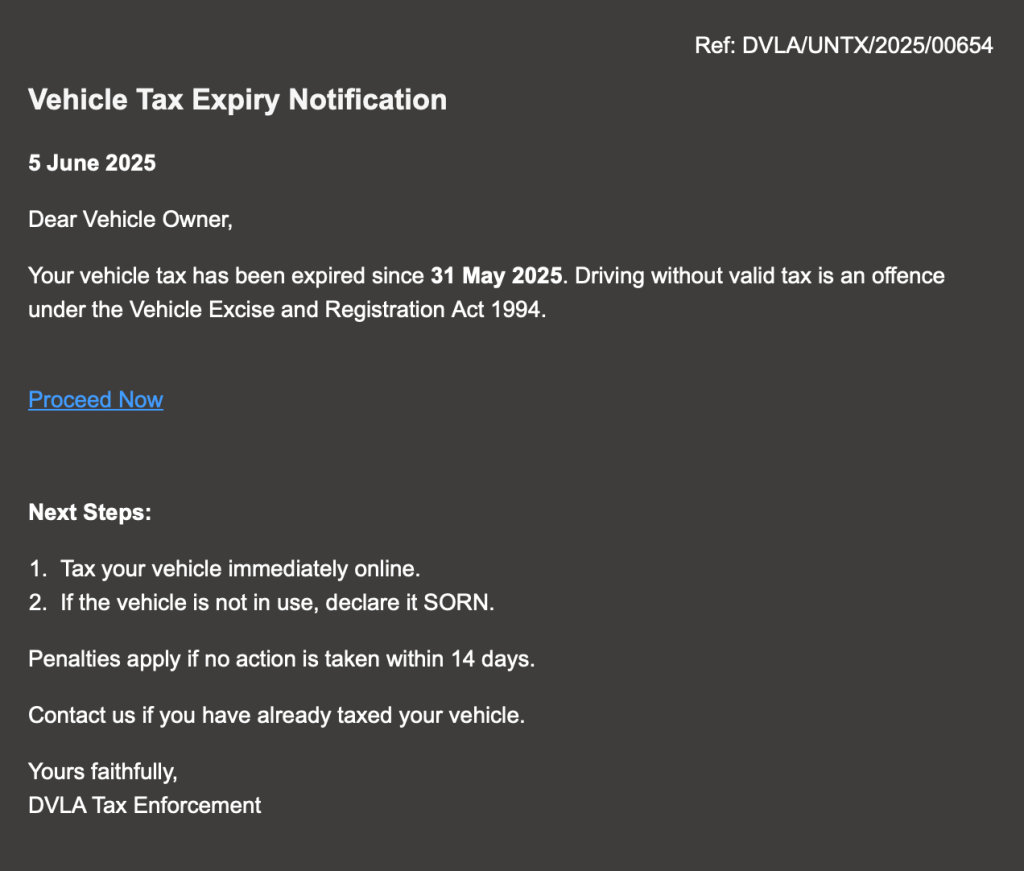
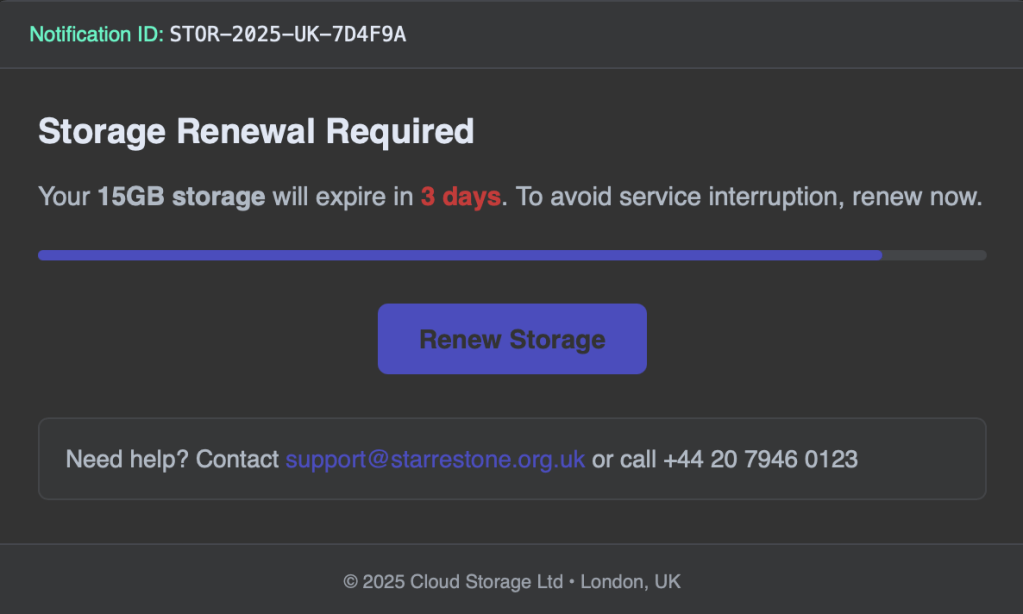
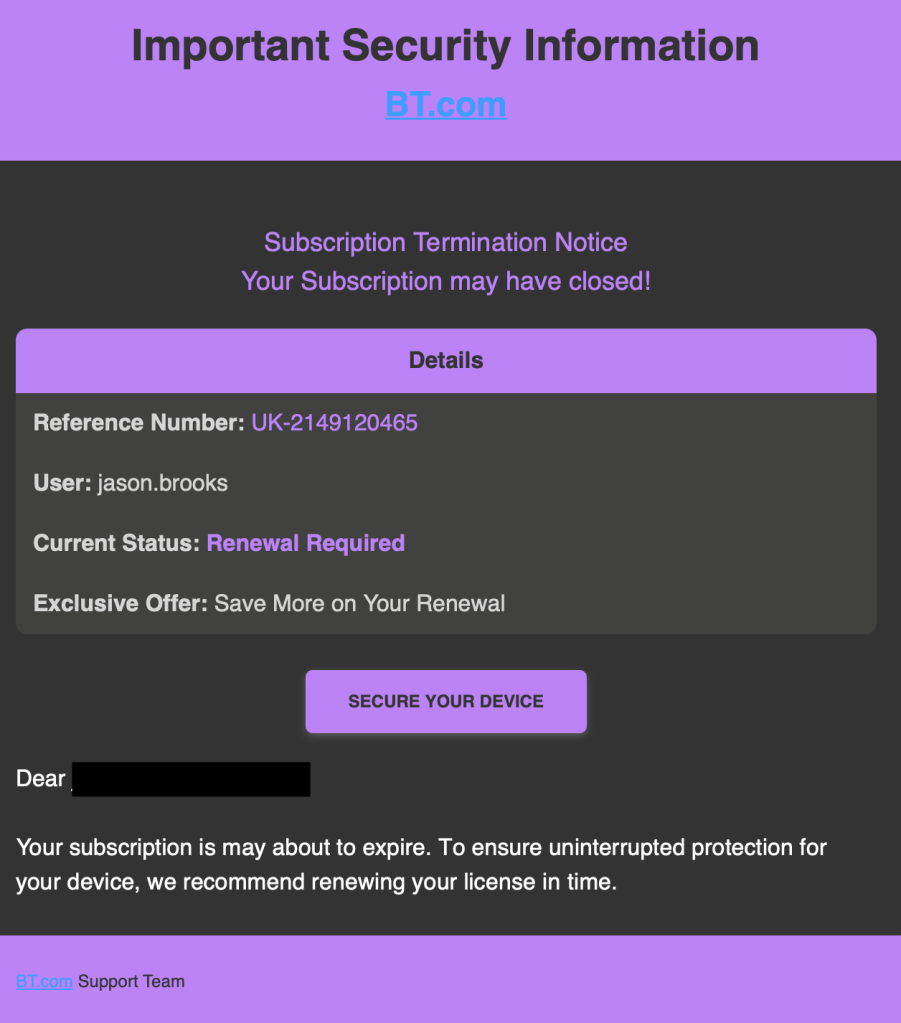
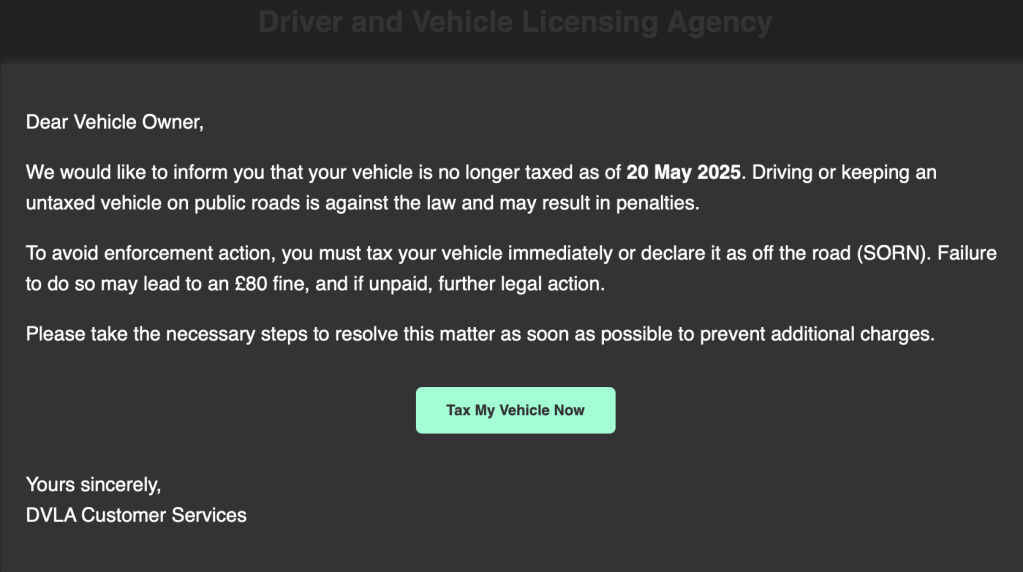
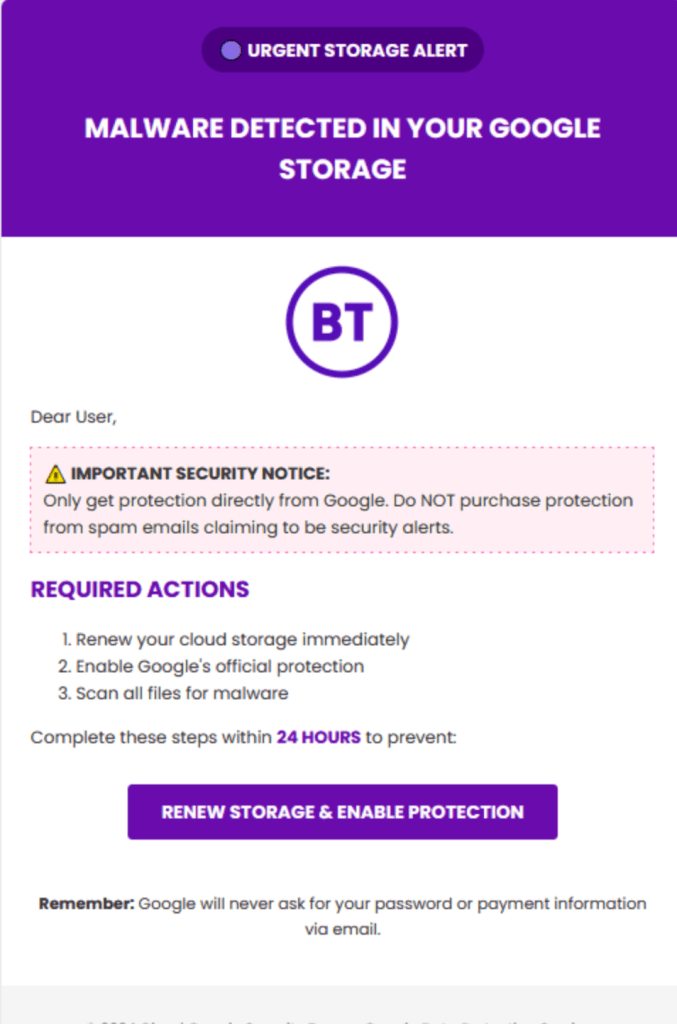
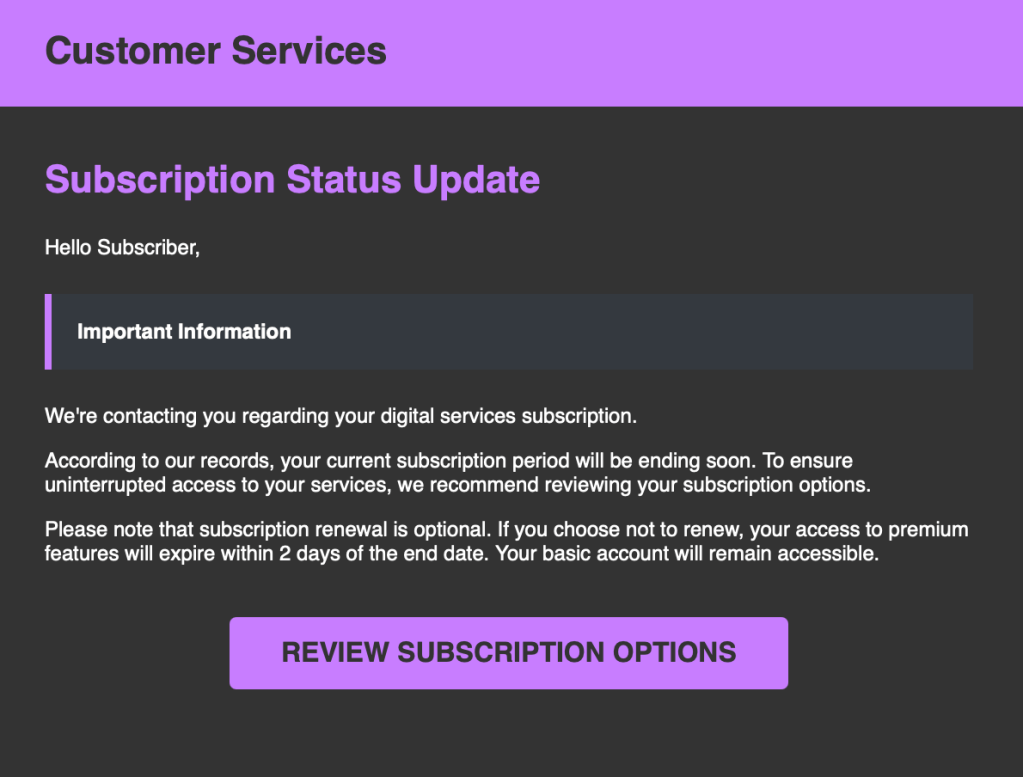
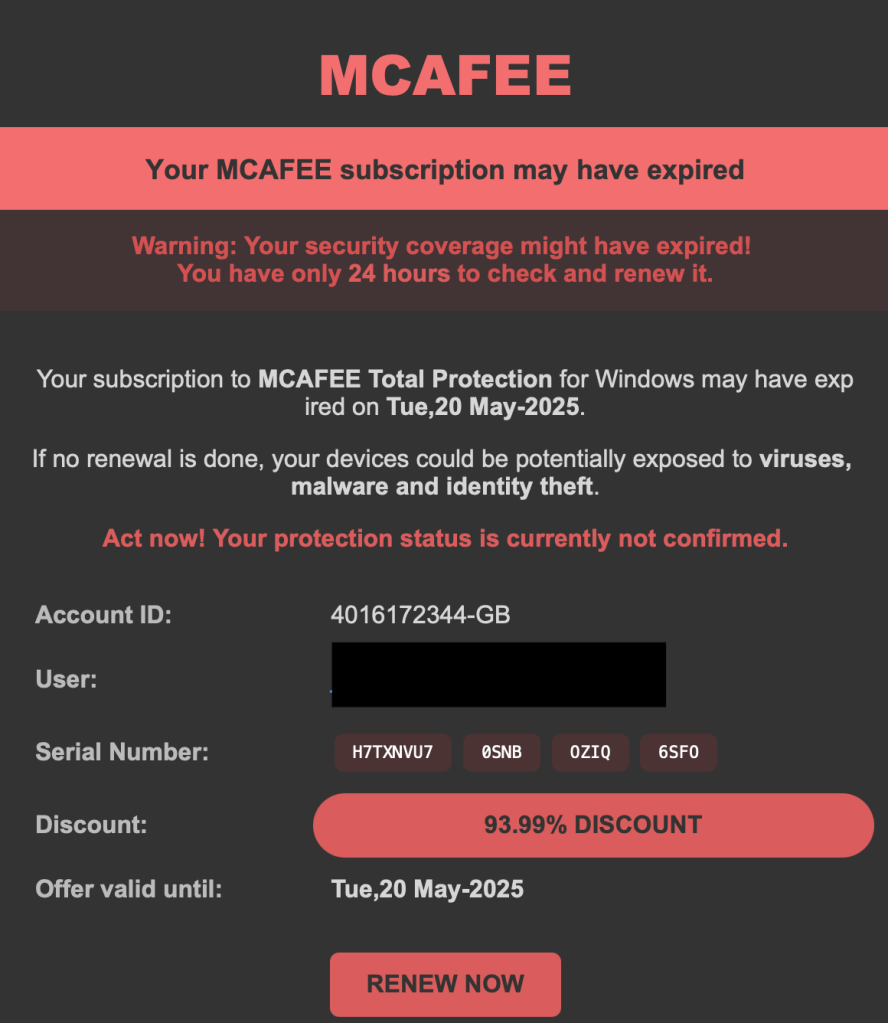
Here’s some examples of sloppy phish I’ve received lately, you’ll see they have a familiar look and feel, which is surprising… maybe I miss the days when fraudsters would put some effort into their unique poor grammar and email formats…



What Are AI Scam Kits?
- Phishing Kits: Bundled software that auto-generates fake emails, often with “AI” writing the messages. Some even promise “bypass spam filters” or “auto-translate for any country.”
- Low Quality Output: Most of these are built on old, poorly-trained AI, resulting in clumsy English, generic designs, and obvious mistakes.
- Sold Everywhere: Not just the dark web, some “AI Email Tools” are sold openly on marketplaces like Temu, AliExpress, Telegram channels, and forums.
Examples of Scam Kits/Tools
Here are some names (and what they claim):
- GoPhish: Open-source, used for both ethical testing and criminal abuse.
- Zphisher: Automates creation of fake login pages.
- EmailGPT: Underground tool for generating “official-looking” phishing lures.
- PhishX: Scam-as-a-service; sends bulk fake emails for a subscription.
- Temu/AliExpress “Email Blaster” Kits: Often labelled as “bulk sender”, “AI emailer”, or “auto phishing tools”, sometimes advertised as “marketing tools”.
Note: Some of these have legitimate uses but are regularly abused by criminals.
Why?
- Sheer Volume: Attackers can send millions of these per day, hoping just a few people will click.
- Those few clicks may pay for the tooling alone and lead to bigger payouts.
- Vulnerable People at Risk: These scams are most dangerous for those:
- Not confident with digital services.
- With cognitive challenges or learning difficulties.
- Who are elderly, unwell, or overwhelmed by “official” letters/emails.
How to Spot a Fake (Even a “Smart” One)
- Look for generic greetings (no name, “Dear Customer/Vehicle Owner”).
- Check for poor grammar, odd layouts, or missing branding.
- Hover (don’t click!) on links, often point to non-official sites (no .gov.uk, nhs.uk, etc).
- Check sender addresses, often slightly wrong (e.g. dvla-enforcement@taxupdate.info).
- Don’t rush, genuine organisations don’t threaten instant penalties via email.
- Check out the slide show at the top of the blog, showcasing the most recent ones I’ve received.
What Should You Do?
- Don’t reply, don’t click, and don’t call any numbers in the email.
- Don’t click unsubscribe either. It confirms the email address is valid and working.
- If in doubt, contact the organisation directly using official contact details.
- Report suspicious emails to: report@phishing.gov.uk (UK only).
- Help others: If you know someone who might be more vulnerable, check in on them, talk about scams openly, and offer to help review suspicious emails.
Accessibility Note: Staying Scam Aware with Screen Readers
If you use a screen reader or other adaptive technology, spotting scam emails can be even trickier, many scams rely on visual tricks, not just words.
Tips for screen reader users:
- Check the sender’s full email address, not just the display name.
- Ask your screen reader to read out the full web address before following any link—be wary of anything that doesn’t end in a trusted domain (like .gov.uk or .nhs.uk).
- Watch for generic greetings (“Dear Customer,” “Hello Subscriber”) and awkward or urgent language.
- Never share passwords or personal details via email, even if asked.
- When in doubt, forward suspicious emails to report@phishing.gov.uk or ask a friend or support worker to check.
Extra help:
Organisations like https://www.rnib.org.uk/ (UK) and https://www.afb.org/ (USA) offer scam awareness and online safety training for blind and visually impaired users.
Reporting & Help (UK)
- Action Fraud UK: https://www.actionfraud.police.uk/
- Take Five to Stop Fraud: https://takefive-stopfraud.org.uk/
- Citizens Advice: https://www.citizensadvice.org.uk/consumer/scams/
- Age UK Scam Awareness: https://www.ageuk.org.uk/information-advice/money-legal/scams-fraud/
For Readers Outside the UK
Most countries now have national scam-reporting services. Here are a few of the main ones:
- USA: https://reportfraud.ftc.gov/
- Canada: https://antifraudcentre-centreantifraude.ca
- Australia: https://www.scamwatch.gov.au/report-a-scam
- EU: Contact your country’s national cybercrime unit or visit https://ec.europa.eu/anti-fraud
If in doubt, search “[your country] report phishing” or ask a trusted contact for the right reporting address.
Closing Note
Scams aren’t just getting smarter, they’re getting sloppier, too. It only takes a moment’s distraction or worry to fall for a bad one. Talk to your family, check in with friends, and remember: you can always ask for help if you’re unsure.
If you found this article helpful, share it with friends and family, awareness is the best defence!

 www.muckypaws.com
1 Comment »